Best Wedding Website Templates in 2026: Free & Easy-to-Customize Options
Learn how to choose a wedding website template, compare free and paid options, and customize your site with RSVP, venue, travel and registry details.

Ridham Trivedi
Certified framer expert, 500+ templates sold

The short answer
Choose a template that matches your wedding style and already includes most of the sections you need.
Make your date, venue, schedule and RSVP easy for guests to find.
Check template, hosting, domain and feature costs separately when comparing free options.
Use a wedding platform for advanced guest management, or a template for greater design flexibility.
Personalize the essentials, test everything on mobile and keep the details up to date.
A wedding website template gives you the structure upfront. Replace the photos, names, colors and event details, then publish. Choose one that is easy to customize, works on mobile and helps guests find what they need.
What are the best wedding website templates in 2026?
The best wedding website templates combine beautiful design with a clear structure that helps guests quickly find important information.
A good starting template should ideally include sections for your wedding date, venue, schedule, story, RSVP, travel information, accommodation, registry and FAQs. You can remove anything you don’t need rather than building these sections yourself.
There are both free and premium options available. The Framer Wedding Template Marketplace currently includes free and paid wedding templates across different visual styles.
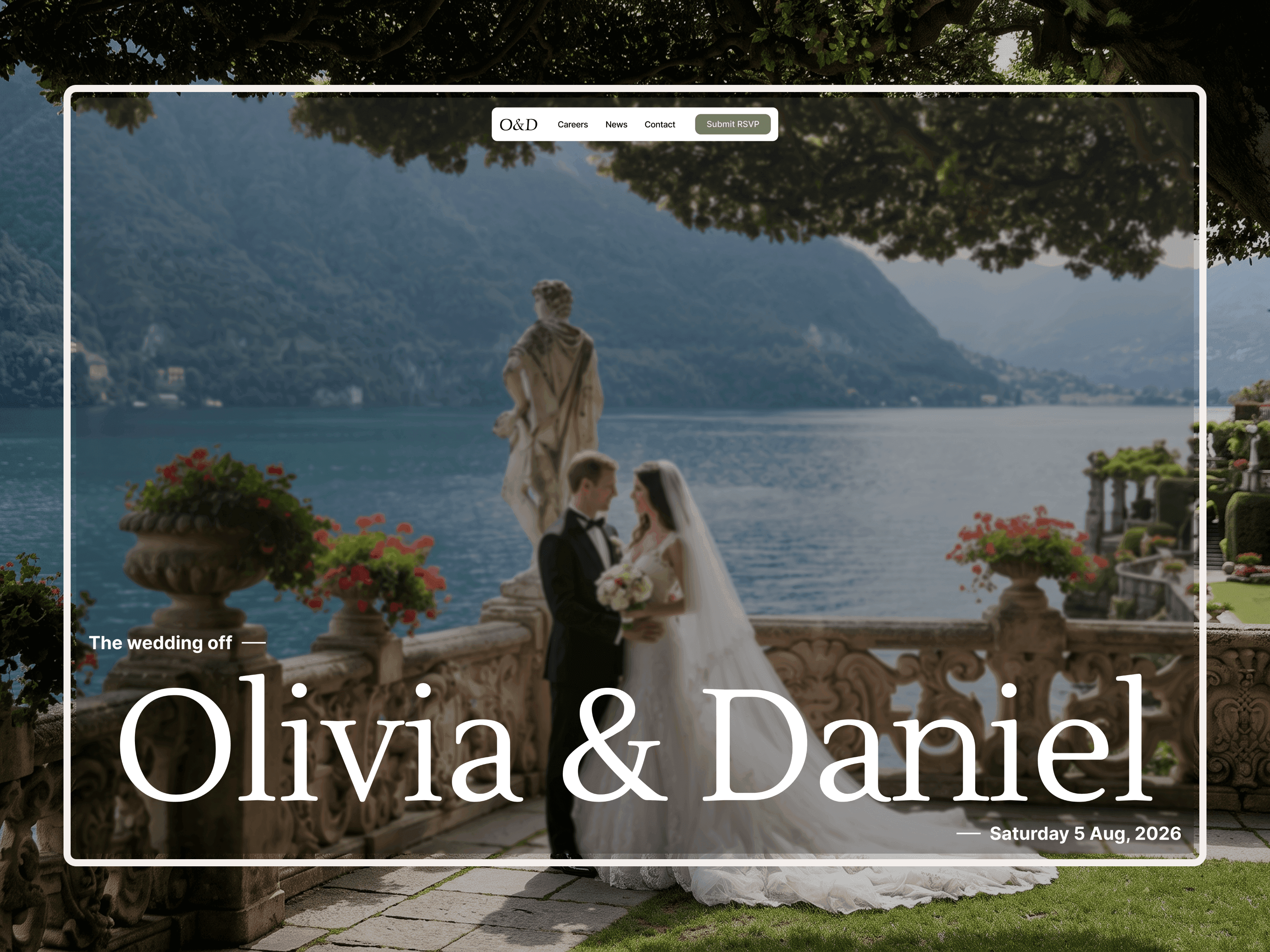
Design example: Weddingly by Talha Nawaz. Preview image from the Framer Marketplace.
Choose the template closest to your finished wedding website—not simply the prettiest screenshot. Fewer structural changes mean a quicker launch.
What should a good wedding website template include?
A good wedding website should give guests one place to find the information they’d otherwise have to ask you for.
According to wedding website platforms such as Zola, websites can include details such as schedules, travel information, accommodations, photos, registries and RSVPs.
Section | What guests need |
|---|---|
Date and venue | The wedding date and location, visible near the top of the homepage. |
Schedule | Each event’s time and location—especially for multi-day weddings. |
RSVP | An easy-to-find button linked to a working form or RSVP service. |
Travel and accommodation | Hotels, directions, transport, airports or stations, and parking details. |
Registry | One clear link to your gift registry. |
FAQs | Dress code, plus-ones, children, arrival times and other practical details. |
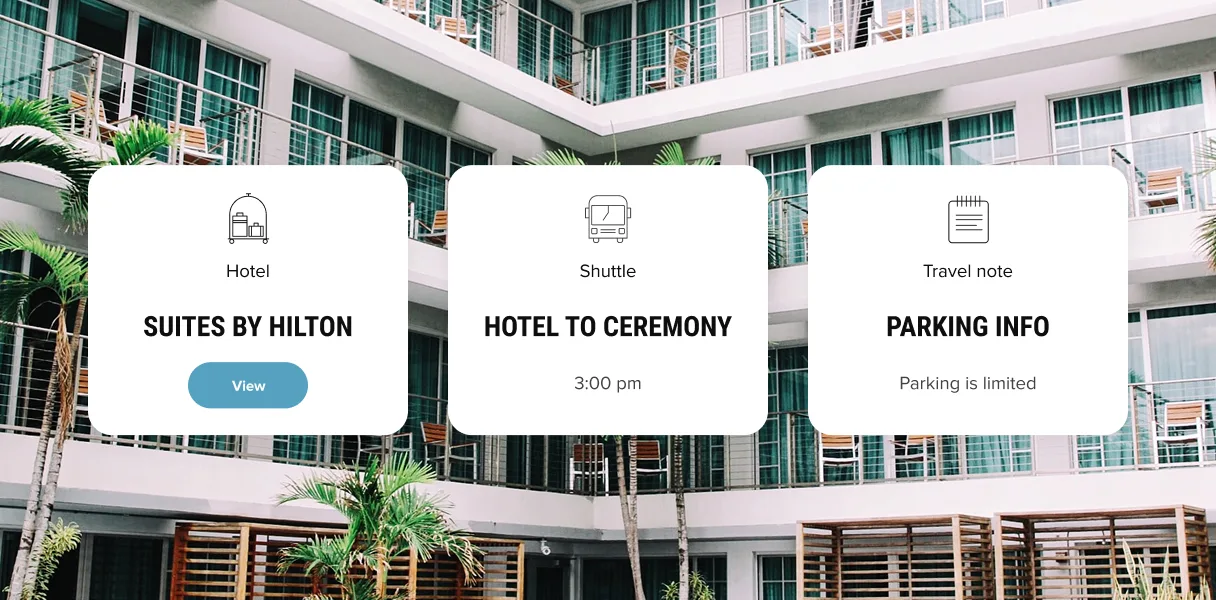
Guest-information example: group hotels, transport and parking details in one place. Image: Zola.
Can you make a wedding website for free?
Yes, you can create a wedding website for free, but “free” doesn’t necessarily mean every part of publishing the website costs nothing.
There are free wedding website templates available, and some website builders also provide free publishing options.
For example, Framer currently has a free plan that lets you publish using a Framer subdomain, while connecting a custom domain requires a paid plan according to Framer’s pricing.
Template: check whether the design itself is free or paid.
Hosting: confirm what the free publishing plan includes.
Domain: a custom address can require a paid plan or separate domain payment.
Features: check the cost of any RSVP or other services you need.
How do you choose the right wedding website template?
Check | What to look for |
|---|---|
Style | Choose a design close to your wedding aesthetic: minimal, floral, rustic, editorial or another direction you love. |
Information | Start with date, venue, schedule and RSVP. Add hotels, travel, maps, registry and FAQs where needed. |
Features | Check the RSVP form and any guest-management integrations before choosing. |
Customization | Make sure photos, colors, fonts, text, buttons and sections are easy to edit. |
Launch effort | Prefer a template that needs content replacement rather than a major rebuild. |
Framer’s documentation explains that after copying a template, its content, styles, layout and components can be customized like another Framer project.
Should you use a wedding website builder or a website template?
Choose… | Best fit |
|---|---|
A wedding-focused platform | Integrated guest management, RSVP tracking, registries and wedding-planning tools matter most. |
A customizable website template | Design flexibility matters most, and you are comfortable adding forms or linking to separate services. |
Neither is automatically better. Match the choice to your guest-management needs and the amount of customization you want.
How can you create a wedding website quickly?
Choose a template with the sections you need.
Replace the names, photos and wedding details.
Connect your RSVP form or service and add registry links.
Check the website on mobile and test every button.
Publish, share the link and keep details up to date.
Keep layouts that already work. Remove sections you do not need instead of redesigning the whole website.
What are the common mistakes on wedding websites?
Keep the date, venue, schedule and RSVP easy to find.
Test navigation, maps, forms and buttons on a phone—not just desktop.
Avoid unnecessary pages, heavy animations and oversized galleries.
Update the website whenever event or travel details change.
Free vs paid wedding website templates: which should you choose?
Choose… | When it makes sense |
|---|---|
A free template | It already matches your style and includes the sections you need. |
A paid template | It saves substantial redesign work or includes essential sections missing from free alternatives. |
Either option | Compare the work left to do—not just the price or screenshots. Paid does not automatically mean better. |
How do you pick the best wedding website template?
If you’ve opened dozens of wedding website templates and can’t decide, stop comparing screenshots.
Ask five questions:
Does it match the style of our wedding?
Does it contain most of the sections we need?
Can guests easily find the date, venue and RSVP?
Can we customize it without rebuilding everything?
Can we publish it within the time we’re willing to spend?
The best template isn’t necessarily the one with the most pages, animations or features.
It’s the one that gets you from template → personalized wedding website with the least unnecessary work.
Sources and image credits
FAQs
Are any wedding websites free?
Yes. Free wedding website templates and free publishing options are available on several platforms. However, custom domains and additional features may require a paid plan depending on the platform.
Can I make a wedding website for free?
Yes. For example, Framer currently lets you publish a website on a Framer subdomain using its free plan. You can combine this with a free wedding template if you don’t need a custom domain or paid features.
What should be included on a wedding website?
At minimum, include your names, wedding date, venue, schedule and RSVP information. You can also add accommodation, travel information, registry links, photos, your story, dress code and FAQs.
How do I choose a wedding website template?
Choose based on style, information, features, customization and launch effort. A template that’s already close to your desired website will usually require less work than one chosen purely for its appearance.