How to Choose the Right Framer Template in 2026
Learn how to choose the right Framer template for a portfolio, SaaS startup, agency or business website using this practical evaluation checklist.

Ridham Trivedi
Certified framer expert, 500+ templates sold

The short answer
Choose a Framer template based on your website’s purpose, content and conversion goal—not visual style alone.
Select a template that already provides most of the pages and sections your project requires.
Test the live preview across desktop, tablet, mobile and the widths between standard breakpoints.
Check whether text styles, colours and components are reusable and easy to customize globally.
Prioritize a well-organized CMS when building a blog, portfolio, case-study library or content-heavy website.
What is a Framer template?
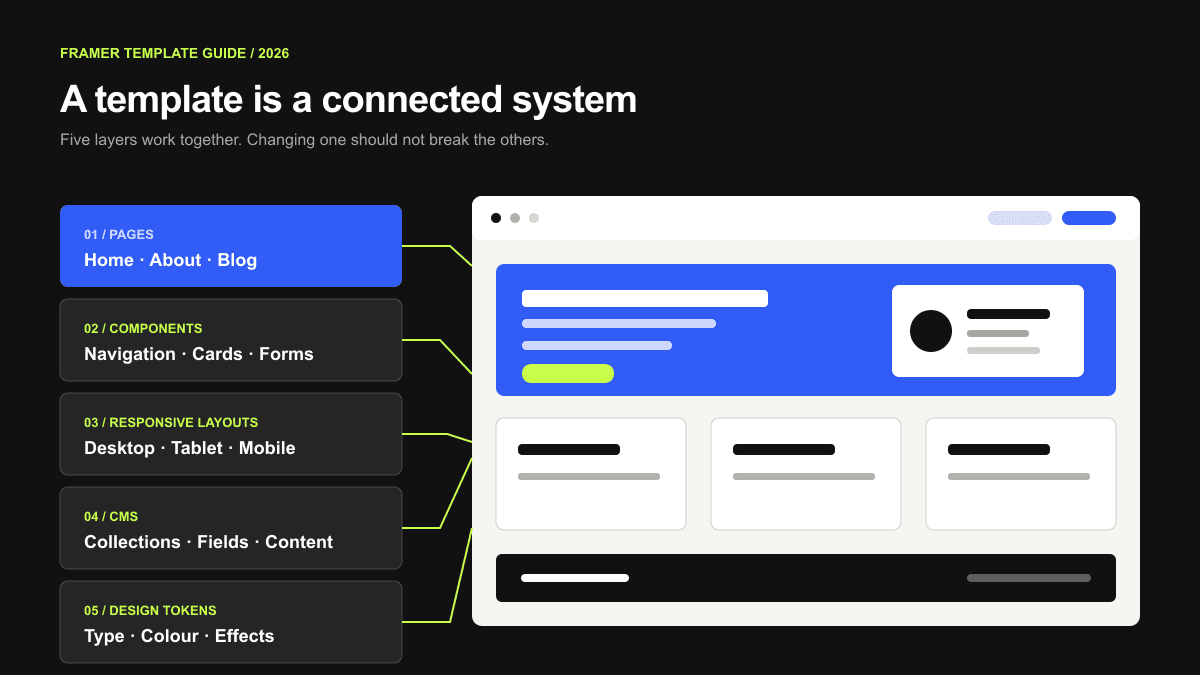
A Framer template is a complete website project with layouts, pages, components, styles, forms and CMS collections.
Free templates can generally be copied directly from the marketplace. Paid templates are purchased from their creators and are normally delivered through a remix link. You can learn more in Framer’s official guide to using templates.
Start with your website’s primary goal
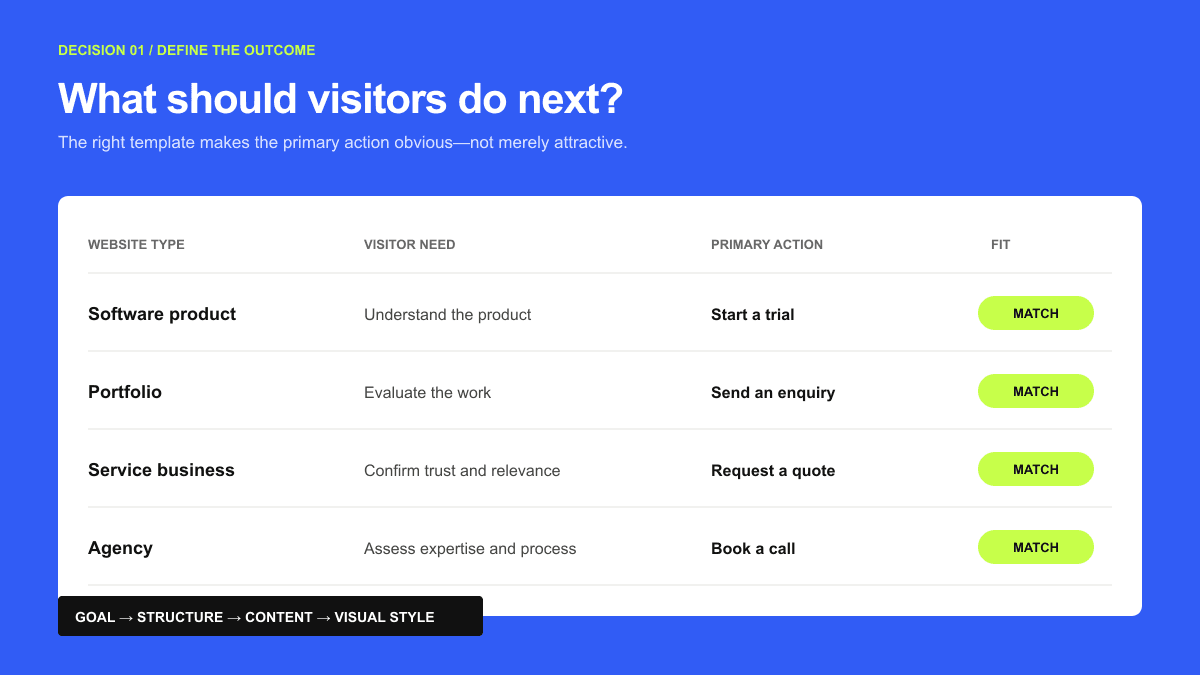
The main purpose of this website is to help visitors ________.
Understand and sign up for a software product
Review my work and contact me
Request a quote for a service
Read articles and subscribe
Choose a template built around that primary action—not around colours or animations. SaaS sites need product clarity; portfolios need strong case studies; service businesses need trust signals and easy enquiries.
Use this seven-point Framer template checklist
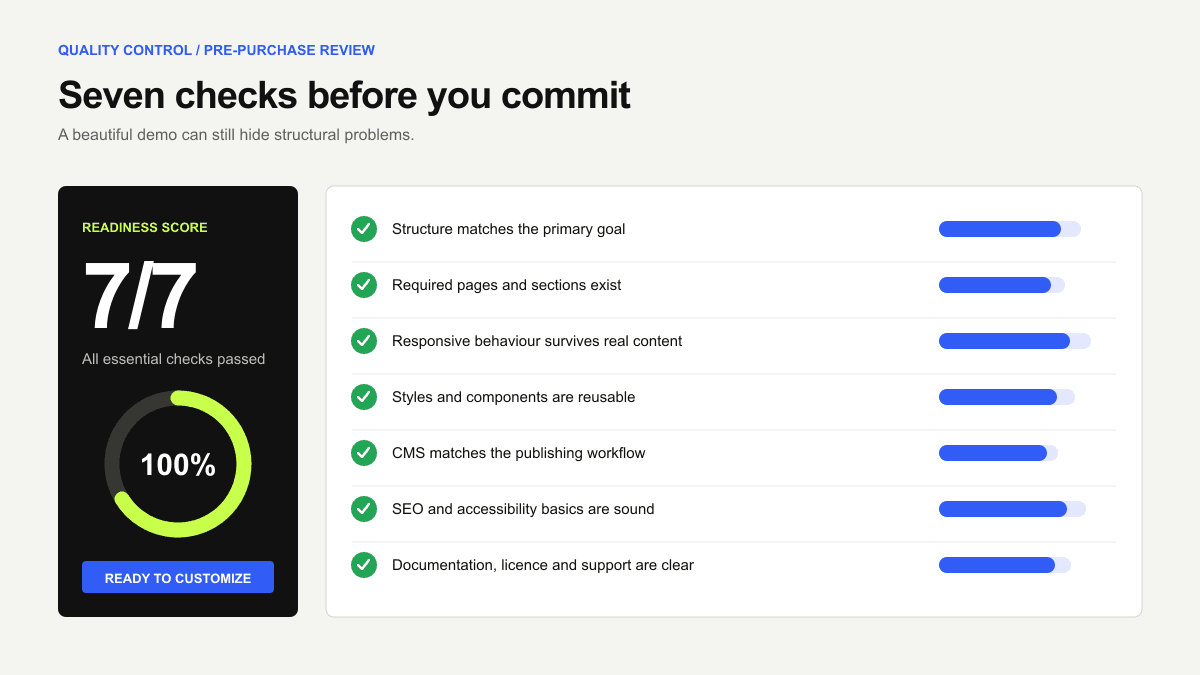
1. Confirm that the template matches your website type
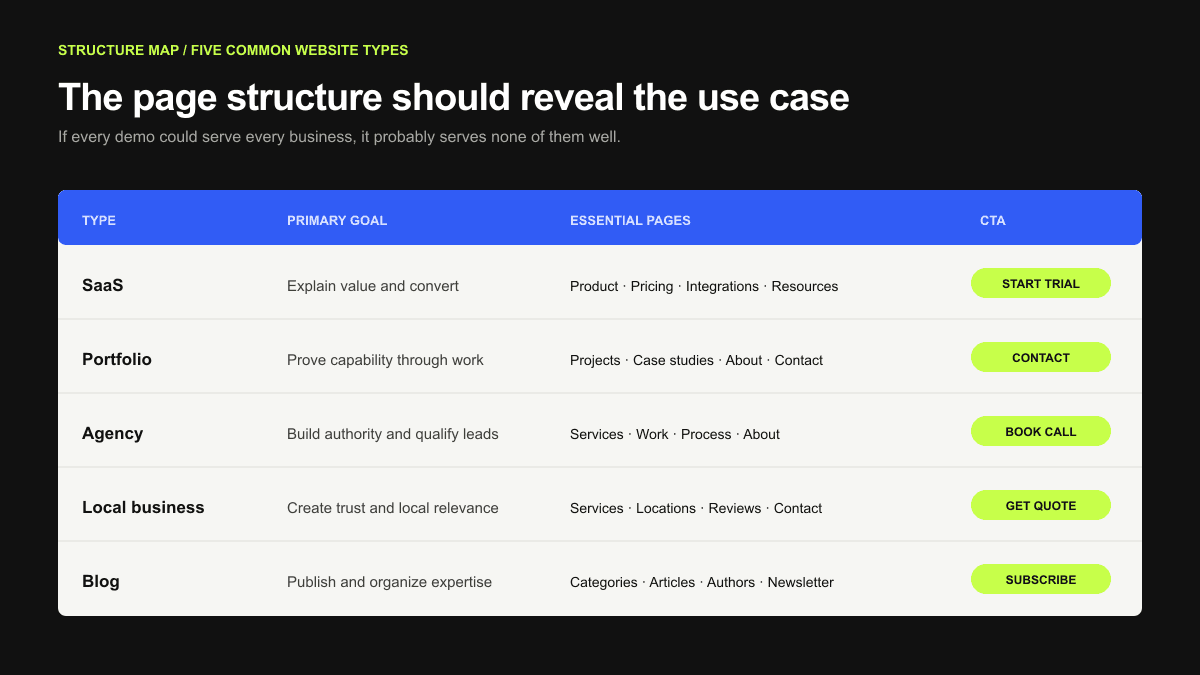
Website type | Important elements to look for |
|---|---|
Portfolio | Project gallery, case-study pages, biography and contact form |
SaaS startup | Features, pricing, integrations, testimonials and product CTA |
Agency | Services, projects, process, client results and enquiry form |
Local business | Service areas, testimonials, trust signals and contact information |
Blog or publication | CMS collections, categories, article pages and author information |
AI product | Product demonstration, use cases, workflow explanation and integrations |
Choose a template that already solves most of your structure; major changes quickly remove the time-saving benefit.SaaS Framer template.
2. Check every page - not just the homepage
Home
About
Services or features
Individual service or feature pages
Pricing
Projects or case studies
Blog
Contact
Privacy policy
Terms
Custom 404 page
3. Test the responsive design
A template should work across desktop, tablet and mobile - not merely shrink to fit a smaller screen.
Navigation remains easy to use
Text stays readable
Buttons remain large enough to tap
Multi-column sections stack logically
No content overlaps or disappears
Test intermediate widths too; a mobile breakpoint alone does not guarantee careful responsive implementation.
4. Review its styles and components
Global styles and shared components should let you change colours, typography, buttons and navigation without editing dozens of layers.
5. Inspect the CMS structure
Does the template include the collections I need?
Are list and detail pages connected correctly?
Can I add new items without editing the layout?
6. Evaluate SEO, accessibility and performance fundamentals
A template cannot guarantee rankings, but it should support clear headings, metadata, accessible navigation and fast, readable pages.
Framer provides controls for metadata, indexing, redirects, sitemaps, robots directives and structured data. Nevertheless, the final result depends on how the template and its content are configured. See Framer’s official SEO documentation for the current platform features.
7. Check the creator, documentation and support
When the template was last updated
Whether setup instructions are included
How support requests are handled
Whether the refund policy is clearly explained
Whether the license covers your intended use
Framer states that paid-template purchases and refunds are handled by template creators rather than Framer itself. Review the creator’s policies before purchasing.
How to choose a template for each website type
Framer templates for portfolios
Prioritize project galleries, case-study pages, flexible media and a clear contact route. Test the template with your real images and titles.
Framer templates for SaaS startups
A SaaS template should explain the product quickly with product visuals, benefits, integrations, proof, pricing, FAQs and one clear demo or signup action.
Explore the SaaS template collection for examples designed around software and startup websites.
Framer templates for agencies
An agency template should build credibility through services, case studies, results, testimonials, process and a focused enquiry route. Choose clarity over novelty.
Browse Framer templates for agencies to compare different structures.
Framer templates for local and service businesses
Local-business templates should emphasize services, locations, reviews, contact details, quote or appointment forms, and mobile-friendly calls to action.
Framer templates for blogs and content websites
Content templates should prioritize readable articles, categories, author information, related posts, newsletter calls to action and well-structured CMS fields.
Framer template versus building from scratch
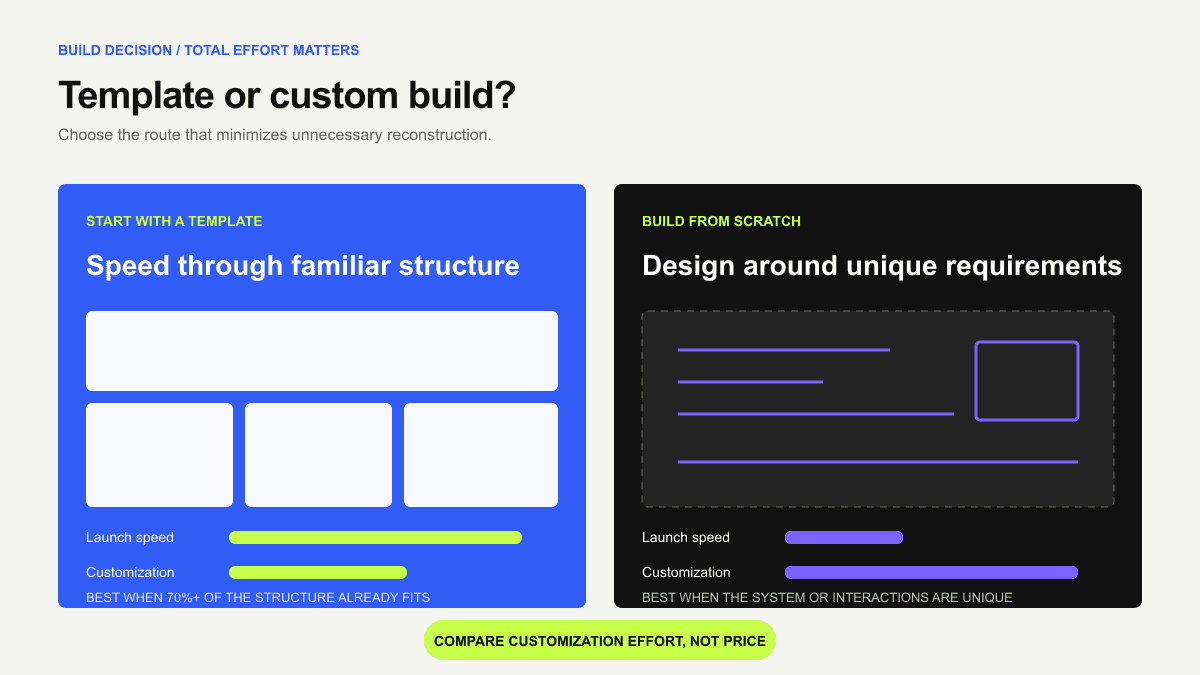
A template is usually the better option when:
You need to publish quickly
Your website follows a familiar structure
You are comfortable adapting an existing visual system
Building from scratch may be more appropriate when:
Your brand requires a highly distinctive visual identity
Your site depends on complex custom interactions
Template customization would require rebuilding most sections
Compare total customization effort, not just price. A paid template that saves days may cost less than rebuilding a free one.
Frequently Asked Questions
1. Which Framer templates are best for building a personal portfolio quickly?
The best portfolio templates prioritize your work rather than decorative website elements. Look for a project gallery, CMS-powered case-study pages, an introduction, a contact form and flexible image layouts.
2. What should I look for when choosing a Framer template?
Evaluate the template’s structure, included pages, responsive behaviour, CMS collections, reusable components, accessibility and creator support.
3. Where can I find high-quality Framer templates?
The official Framer Marketplace is the safest first place to search because it provides free and paid projects from Framer creators.
You can also use curated libraries such as the FramerThemes template collection to narrow your search by website type. Wherever you search, evaluate the live preview, creator reputation, included pages, update history and support policy before choosing.
4. Should I use a Framer template or build my website from scratch?
Use a template when your website follows a familiar structure and you want to publish quickly. Templates are particularly useful for portfolios, startup landing pages, agencies, local businesses and minimum viable product websites.
5. Is a free or premium Framer template better?
Free templates are often sufficient for portfolios, experiments, simple landing pages and learning Framer. Premium templates become more valuable when you need multiple inner pages, advanced CMS collections, detailed documentation, updates or creator support.
The template’s price does not determine its SEO performance or design quality. Compare the actual structure and time saved. For a complete breakdown, read Free vs Paid Framer Templates: What You Actually Get.